Private preview In daily use at PuglieseWeb · not yet open to the public
Your architecture, in your agents' context window.
SystemDox is the knowledge layer engineering teams and their AI coding agents both read. Capture what you learn, keep docs and standards in one library, plan the work, serve it all over MCP, and publish it as knowledge bases people can browse.
We built it for ourselves first. Every PuglieseWeb repository, our internal knowledge base and our public Engineering Handbook run on SystemDox today. It is not open to the public yet: we are opening it to a first group of teams.
Browse a live knowledge base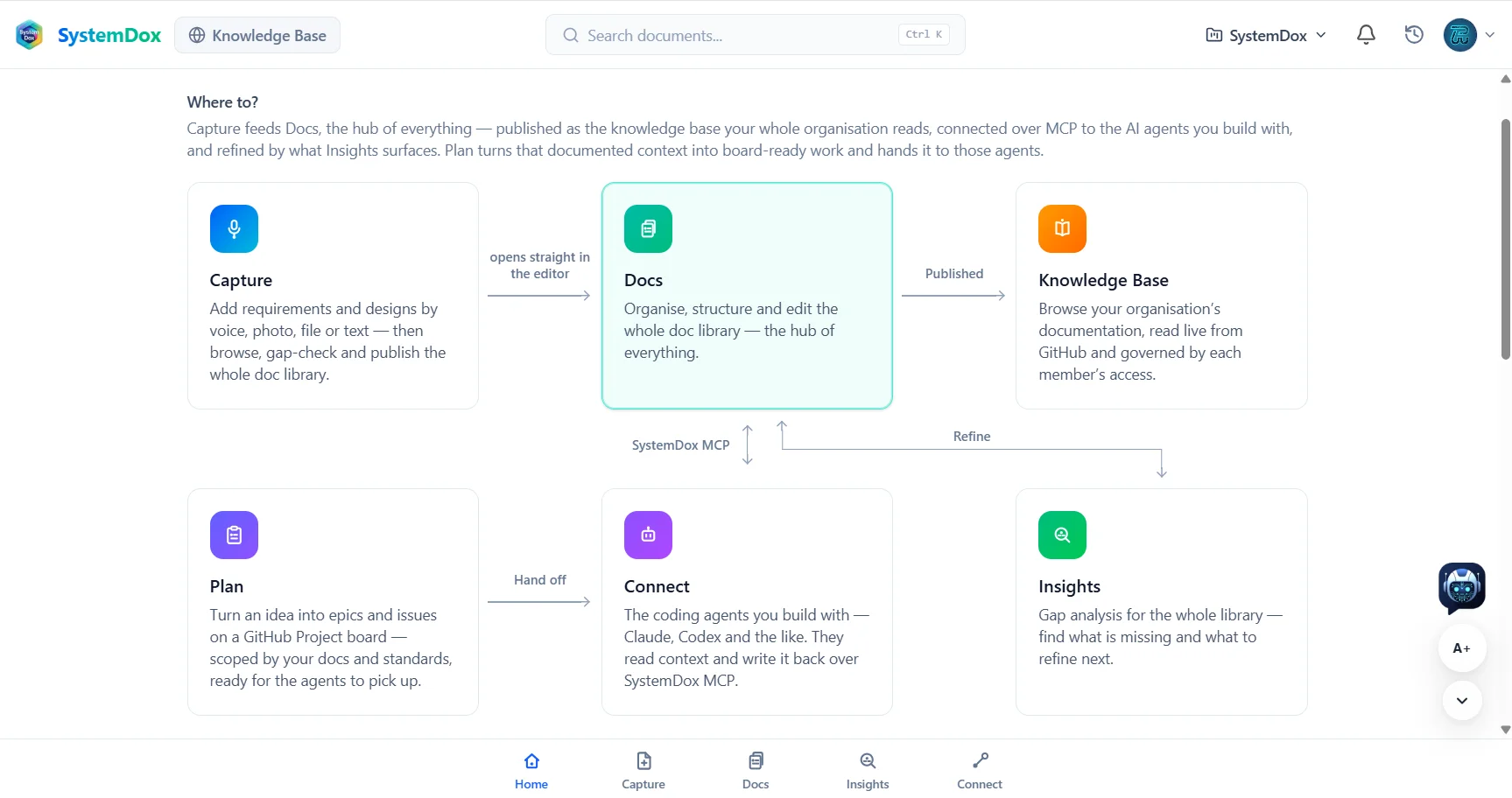
Dogfooded, not demoed
A real product under a real workload
PuglieseWeb runs its whole engineering practice on SystemDox: the same workspace, standards and knowledge bases you see on this page.
- 60+
- repositories connected
- 450+
- pages in our public handbook
- 130+
- architecture decisions recorded
- 0
- mock-ups on this page
Figures read from our own workspace on 22 September 2026.
How it works
One loop, from a voice note to a governed agent
Seven steps. Every screenshot is our own workspace, puglieseweb.systemdox.com, exactly as it looks today.
-
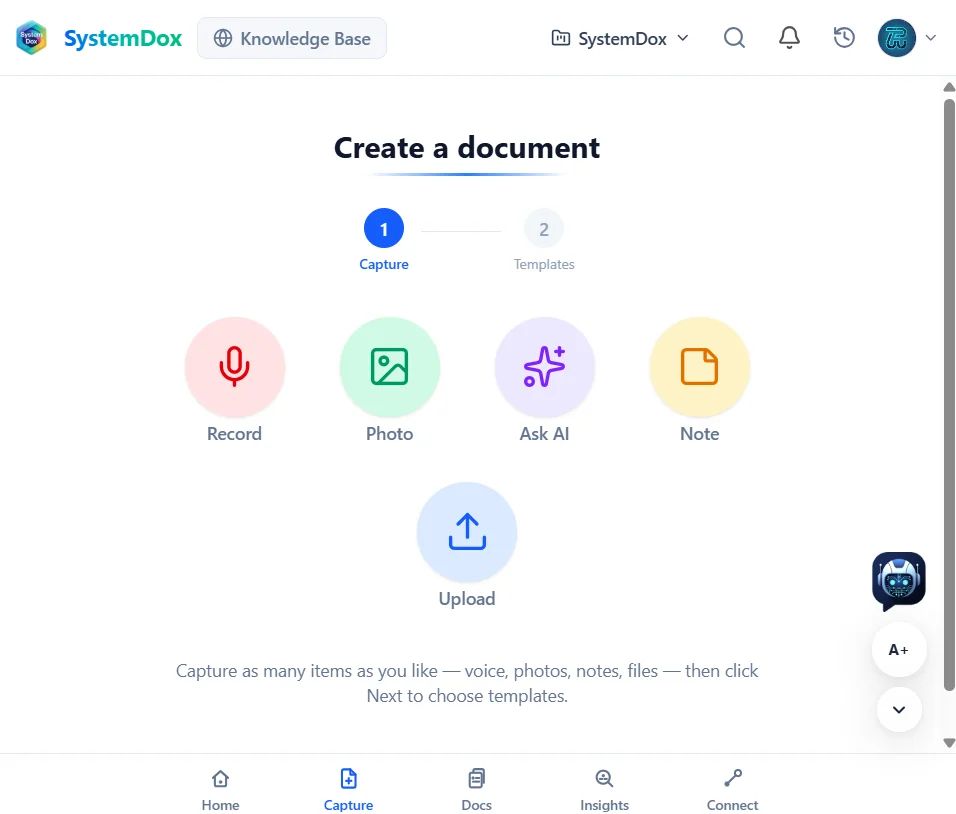
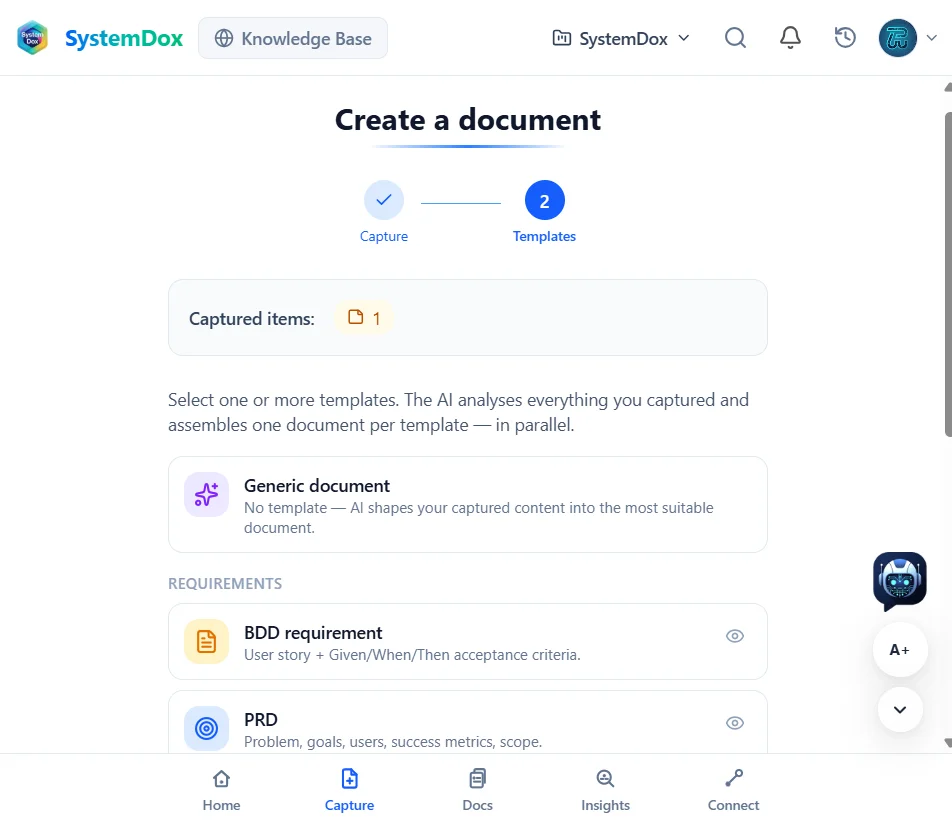
01 Capture
Start with whatever you have
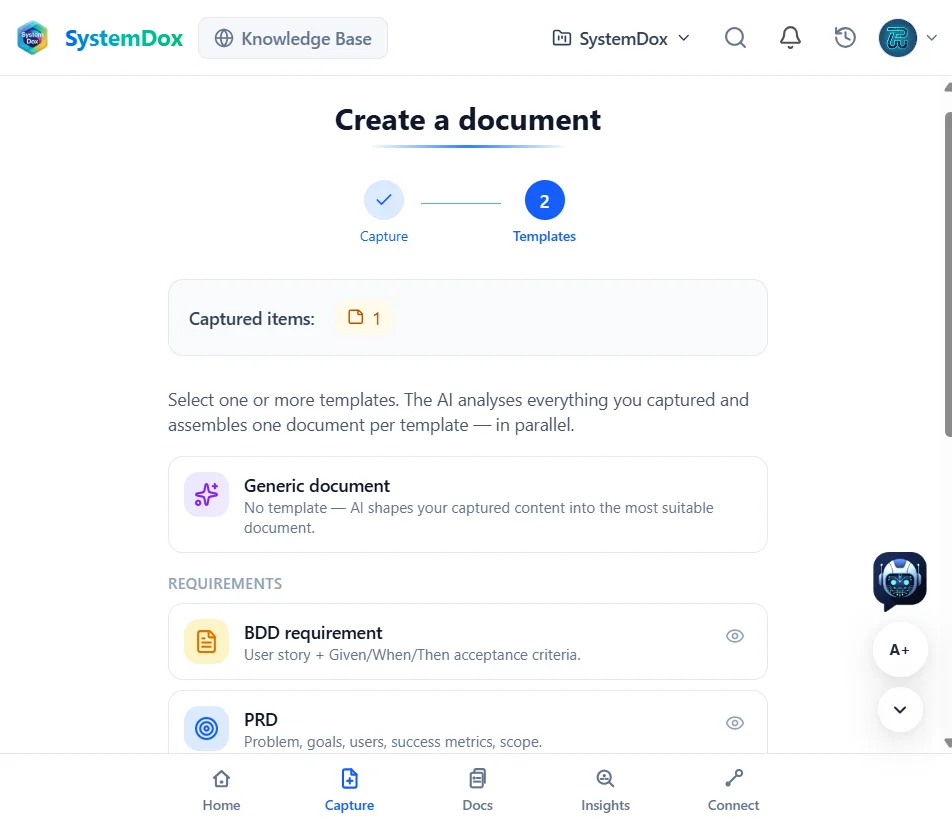
Record a voice note after a call, photograph a whiteboard, drop in a file, ask the AI or type a note. Pick one or more templates — a BDD requirement, a PRD, an ADR — and the AI assembles one document per template, in parallel. The result opens straight in the editor.
Explore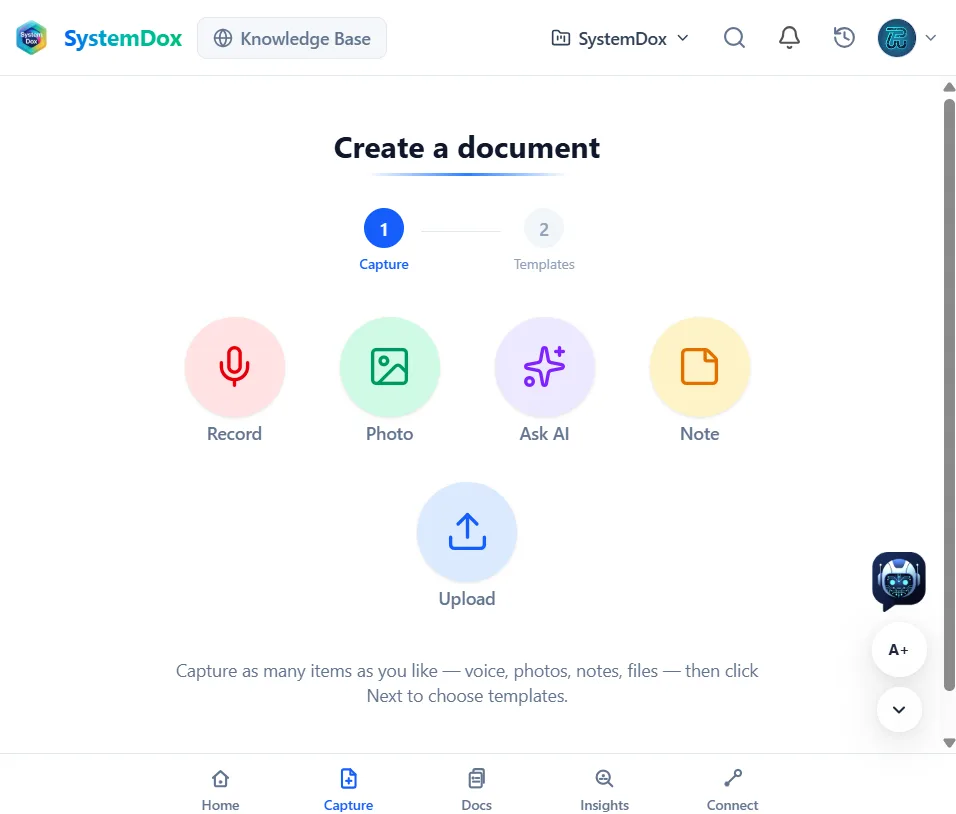
-
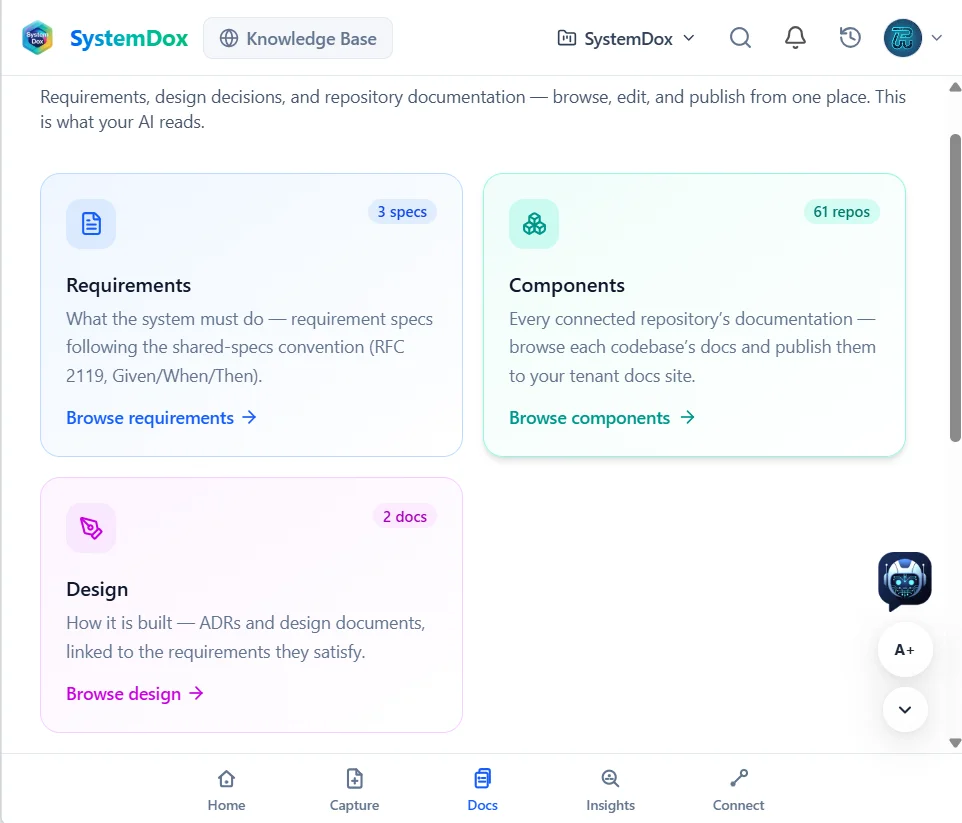
02 Docs
Everything lands in one library
Requirements, design decisions and every connected repository's documentation live in one place — browsed, edited and published from the Docs hub. This is what your AI reads.
Explore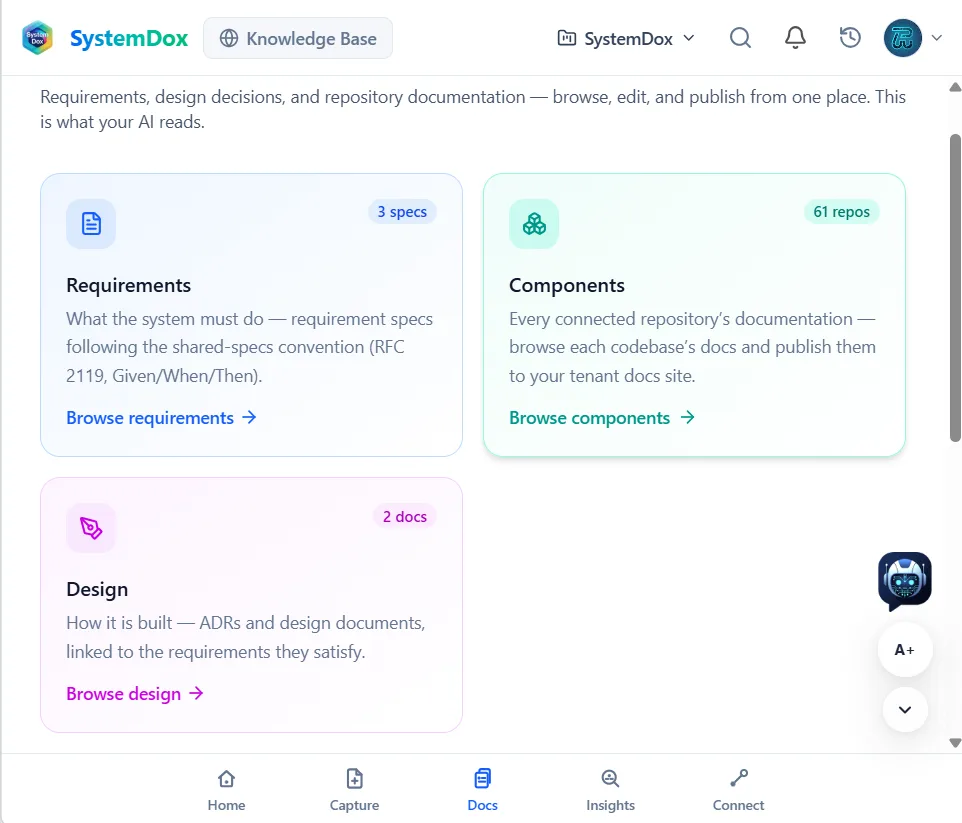
-
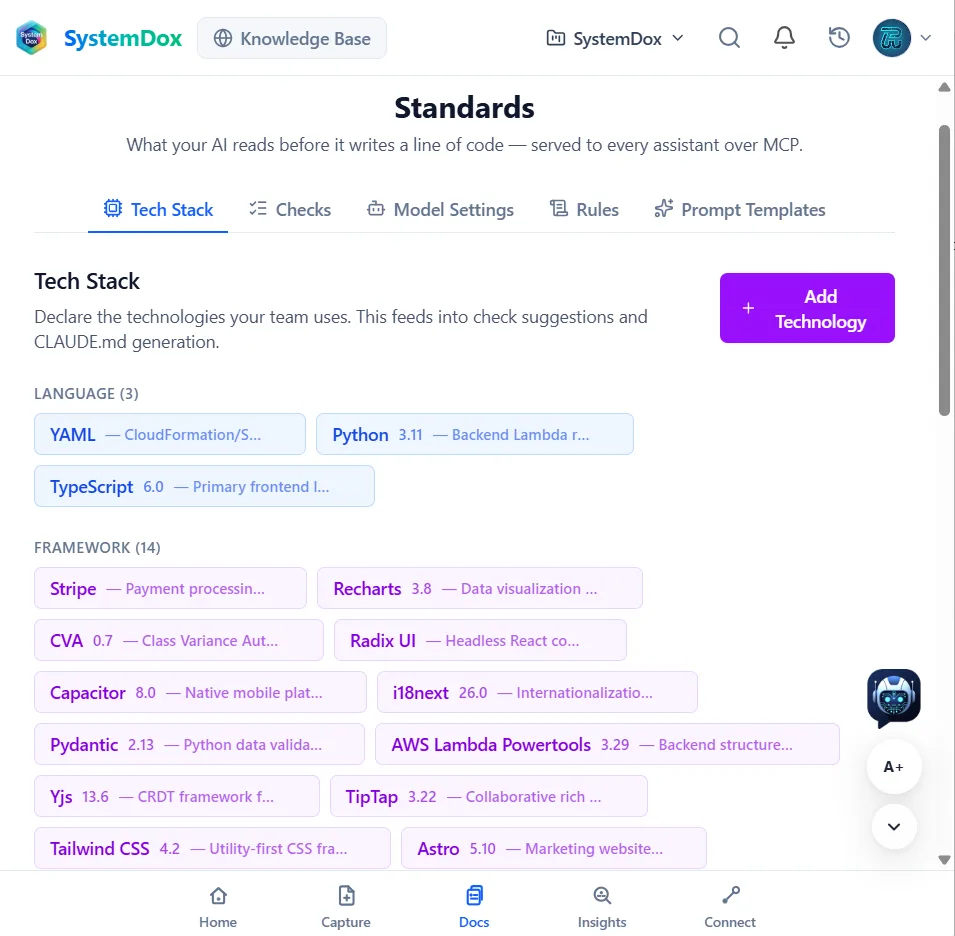
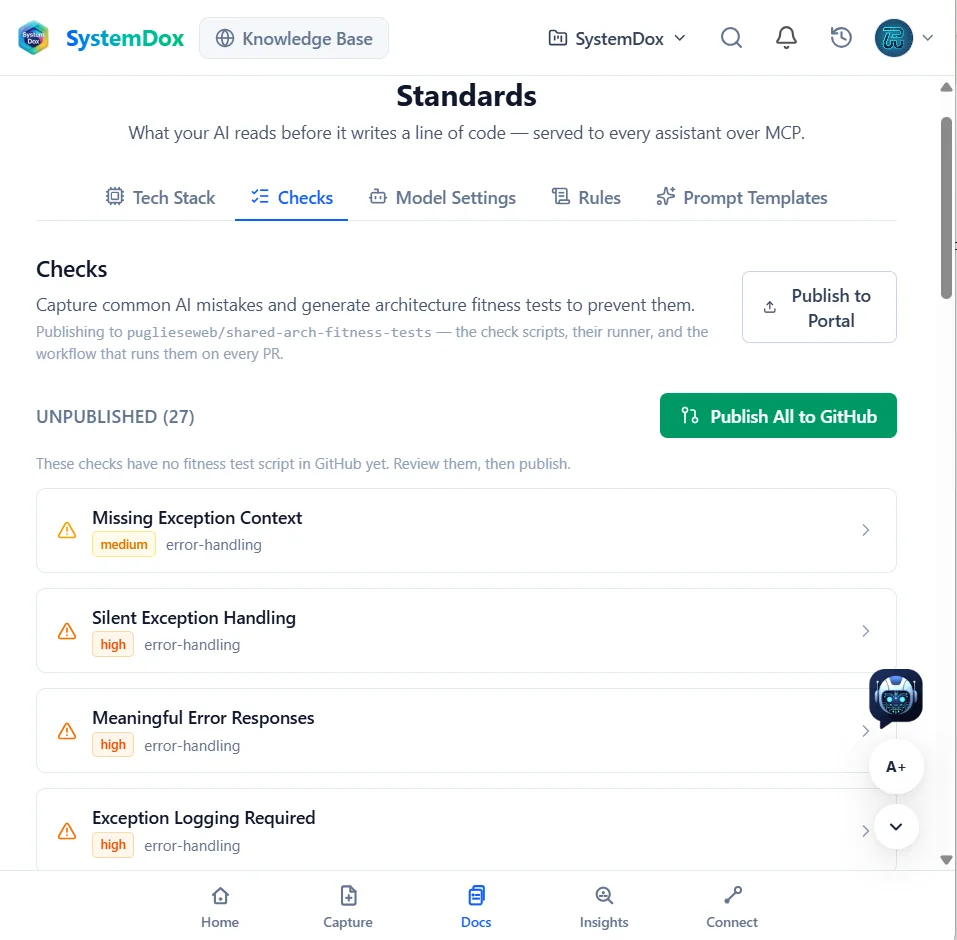
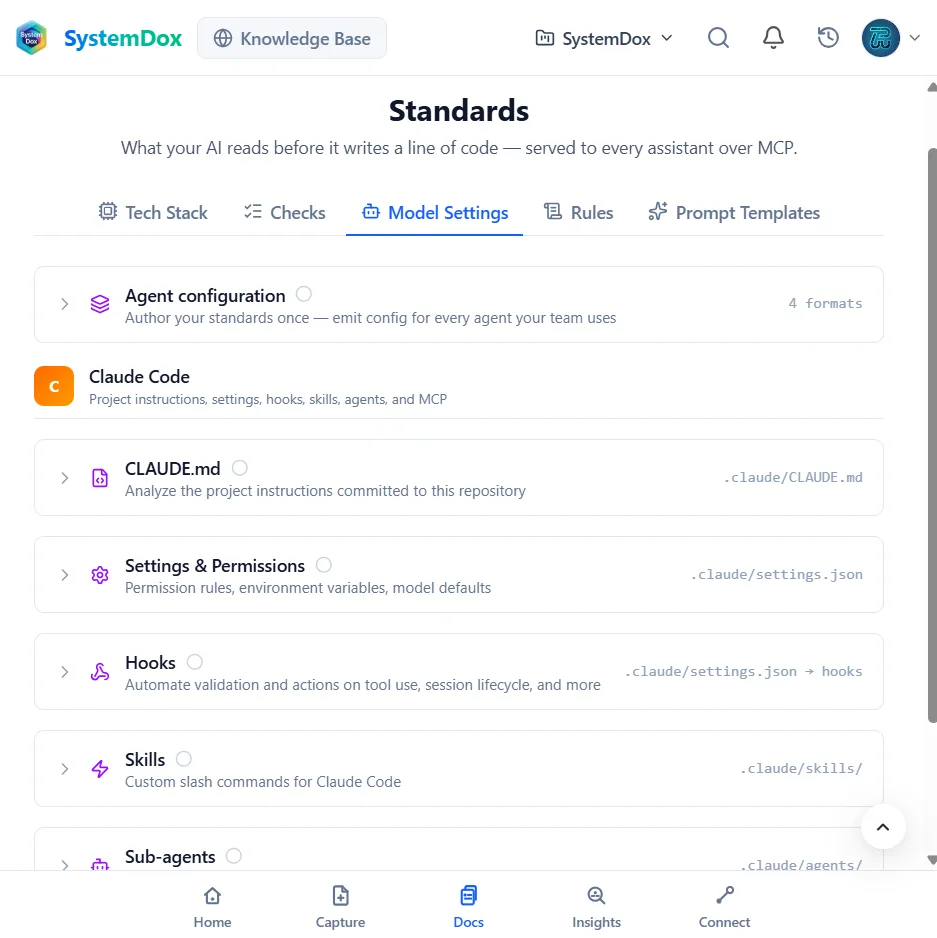
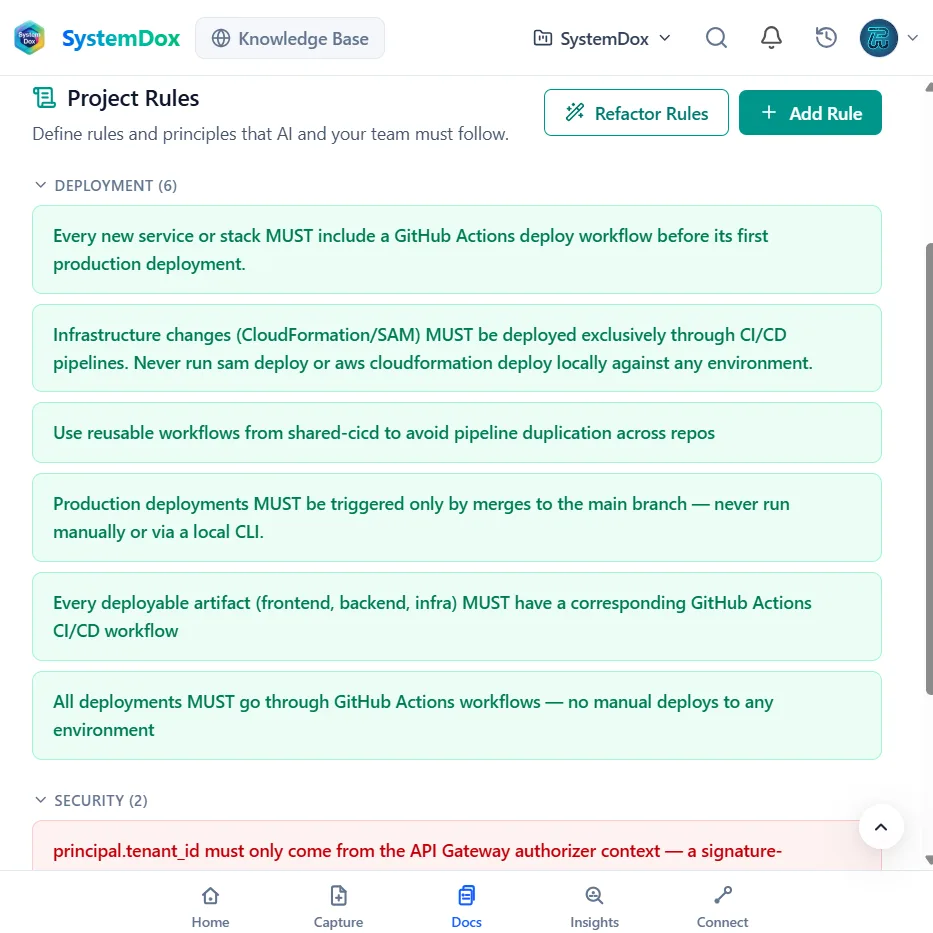
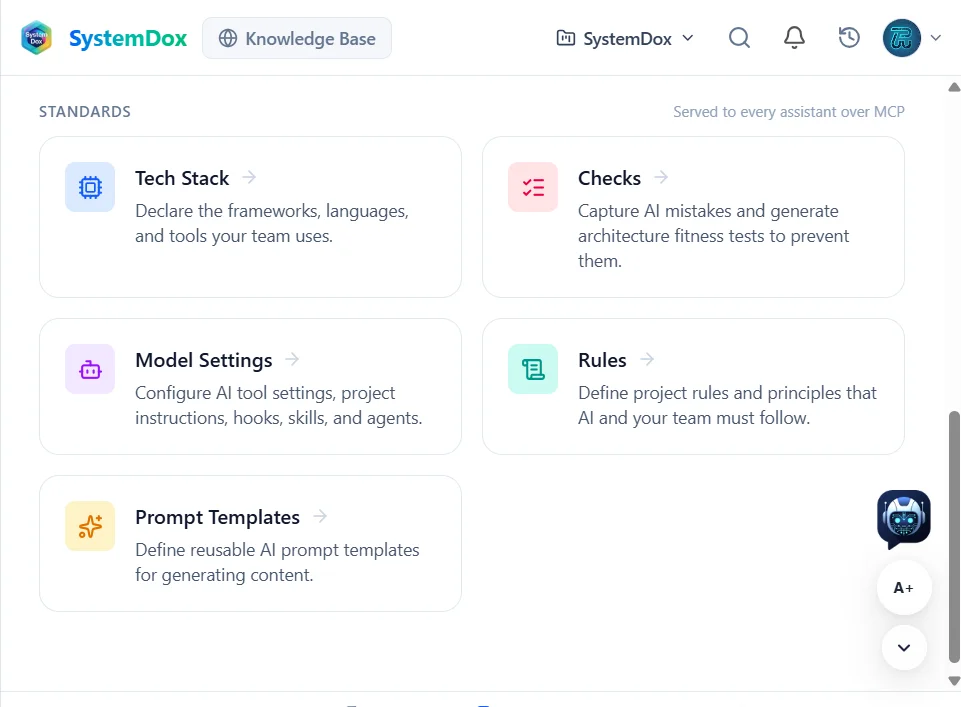
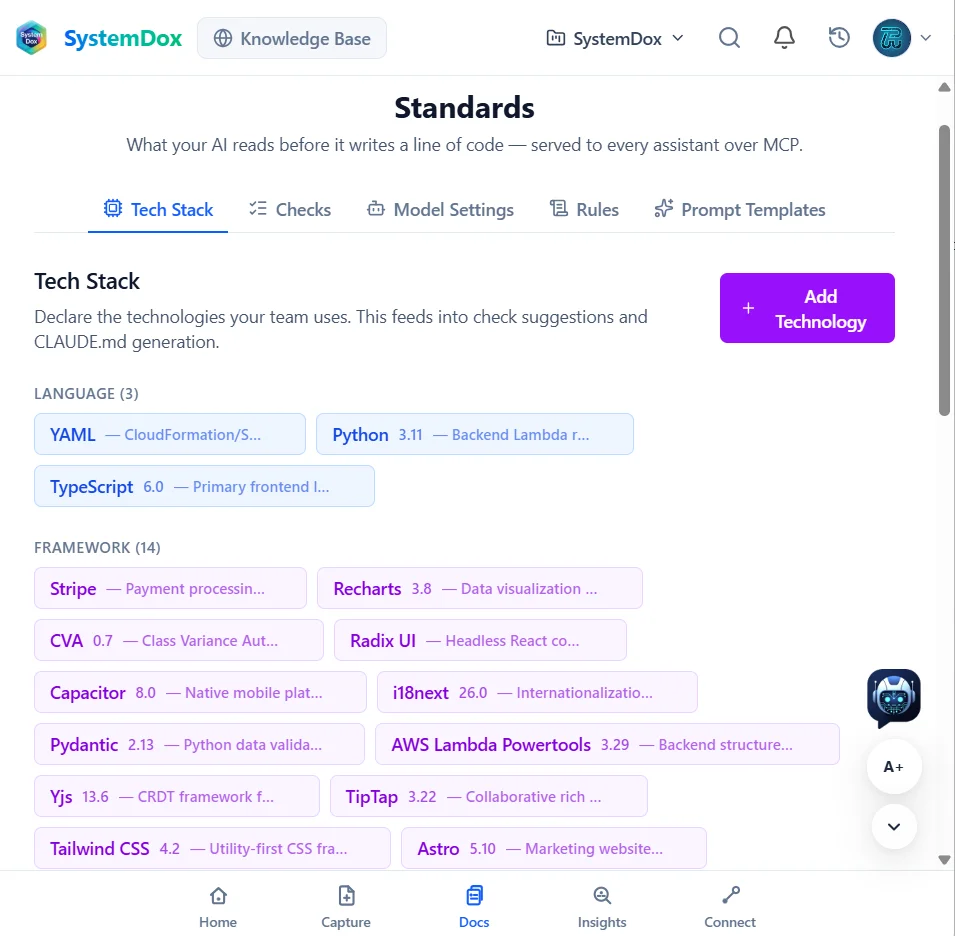
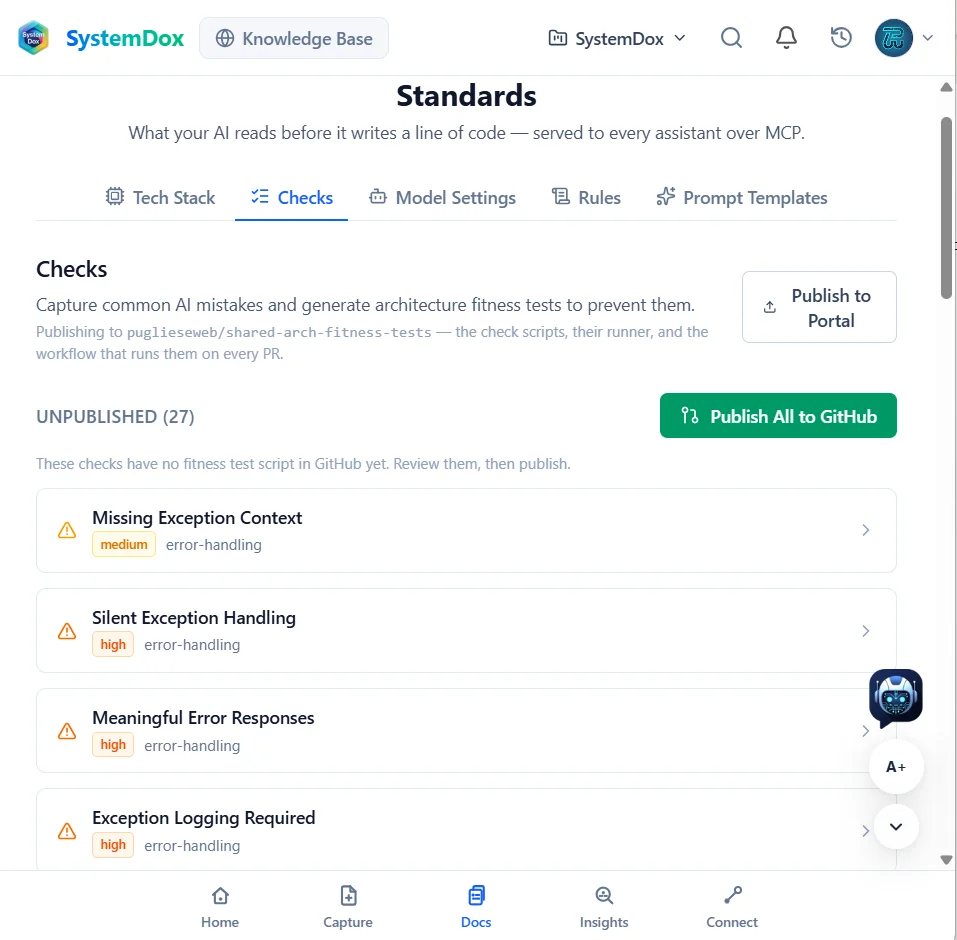
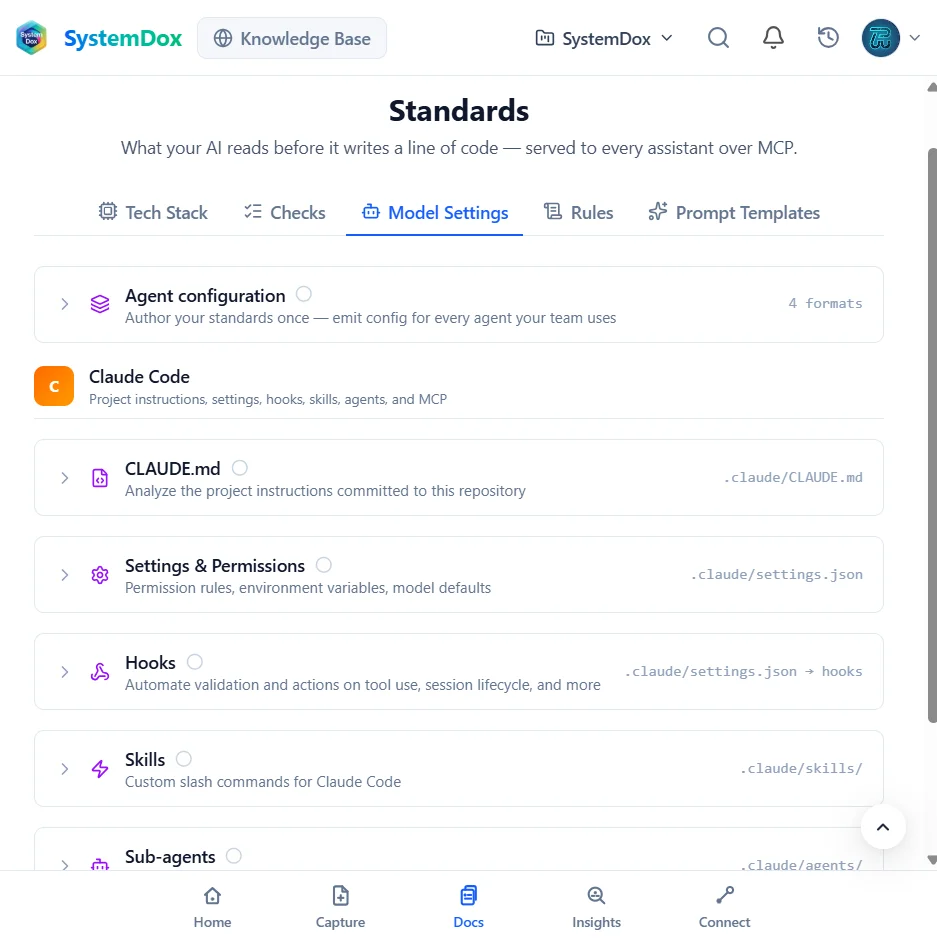
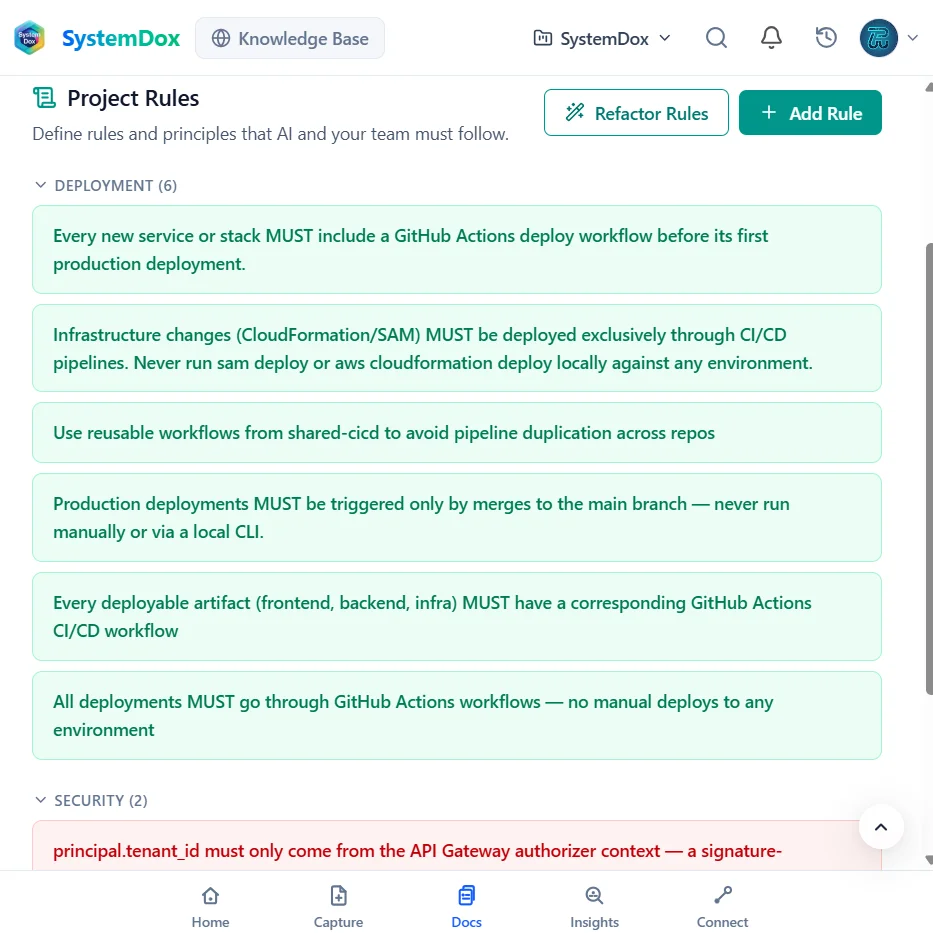
03 Standards
Declare what your AI must follow
Tech stack, checks, model settings, rules and prompt templates: the standards every assistant reads before it writes a line of code. Model settings emit the configuration for each agent you use — for Claude Code that is CLAUDE.md, settings, hooks, skills and sub-agents.
Explore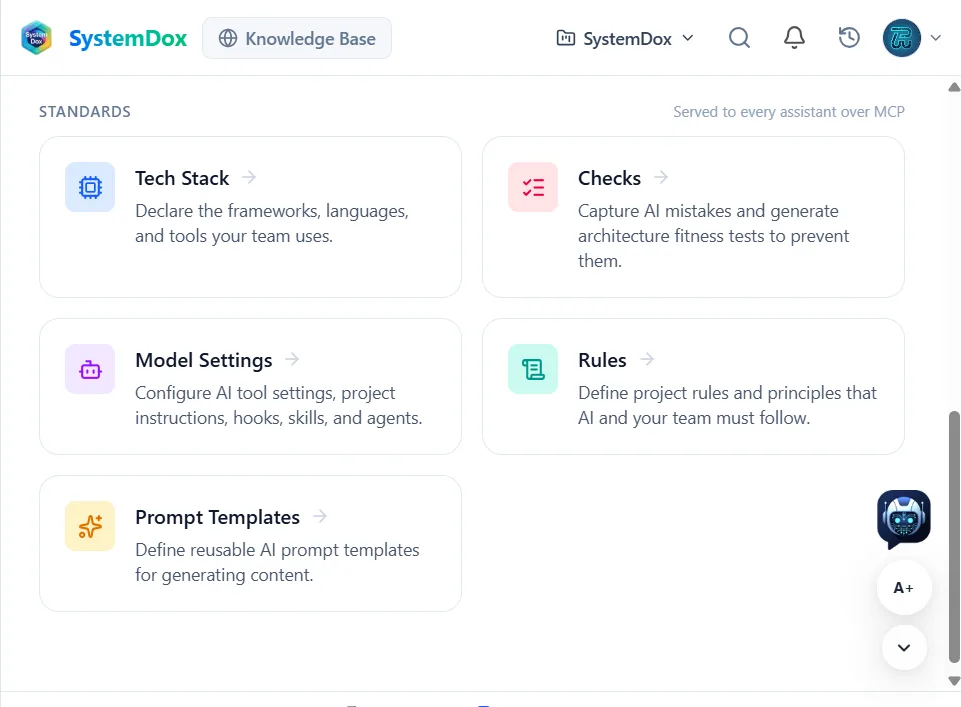
-
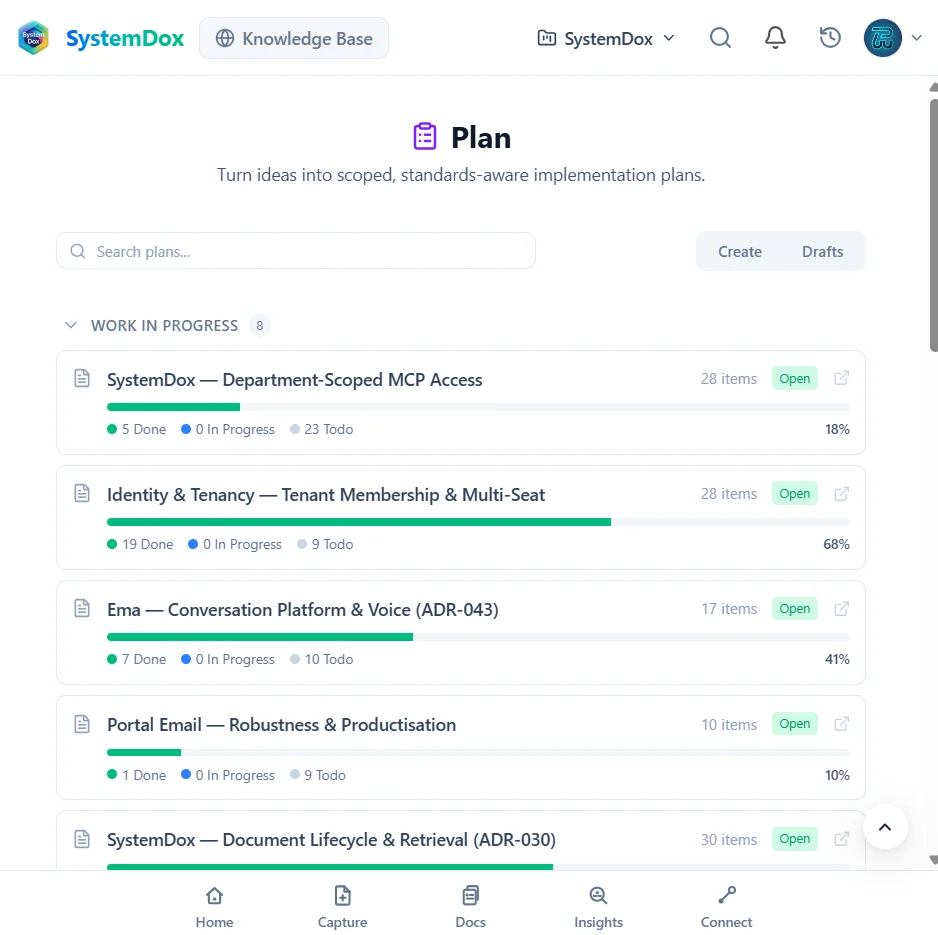
04 Plan
Turn ideas into board-ready work
Describe a feature and Plan drafts epics and issues grounded in your docs and standards, populates a GitHub Project board and tracks progress — done, in progress, to do — for every plan.
Explore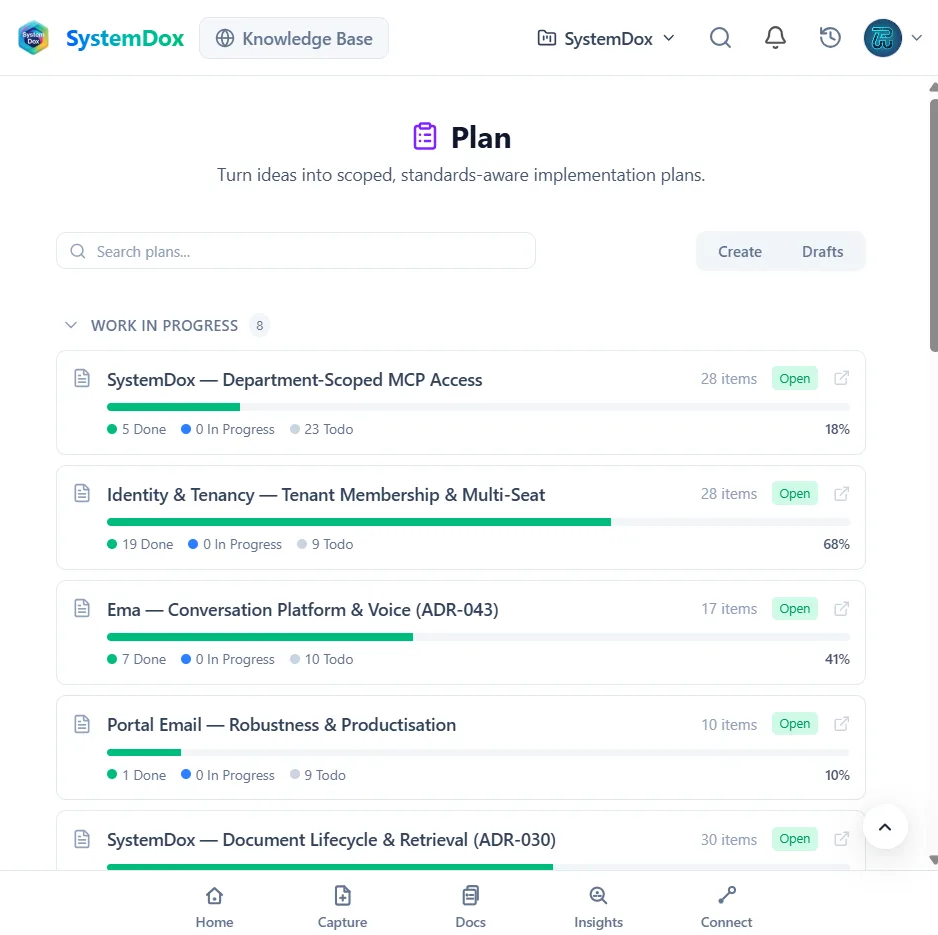
-
05 Connect over MCP
Your agents read it at write time — and write back
Claude Code, Codex, Cursor or any MCP client connects to your workspace's hosted SystemDox MCP endpoint. Agents pull the checks, specs and docs relevant to the task within a token budget, and record decisions and spec updates as they work.
Explore{ "mcpServers": { "systemdox": { "type": "http", "url": "https://<your-workspace>.mcp.systemdox.com/mcp", "headers": { "Authorization": "Bearer ${SYSTEMDOX_API_KEY}" } } } }get_context report_decision update_spec npx @systemdox/mcp-server setupOne configuration block. The key is scoped to your workspace and referenced from an environment variable, never committed. -
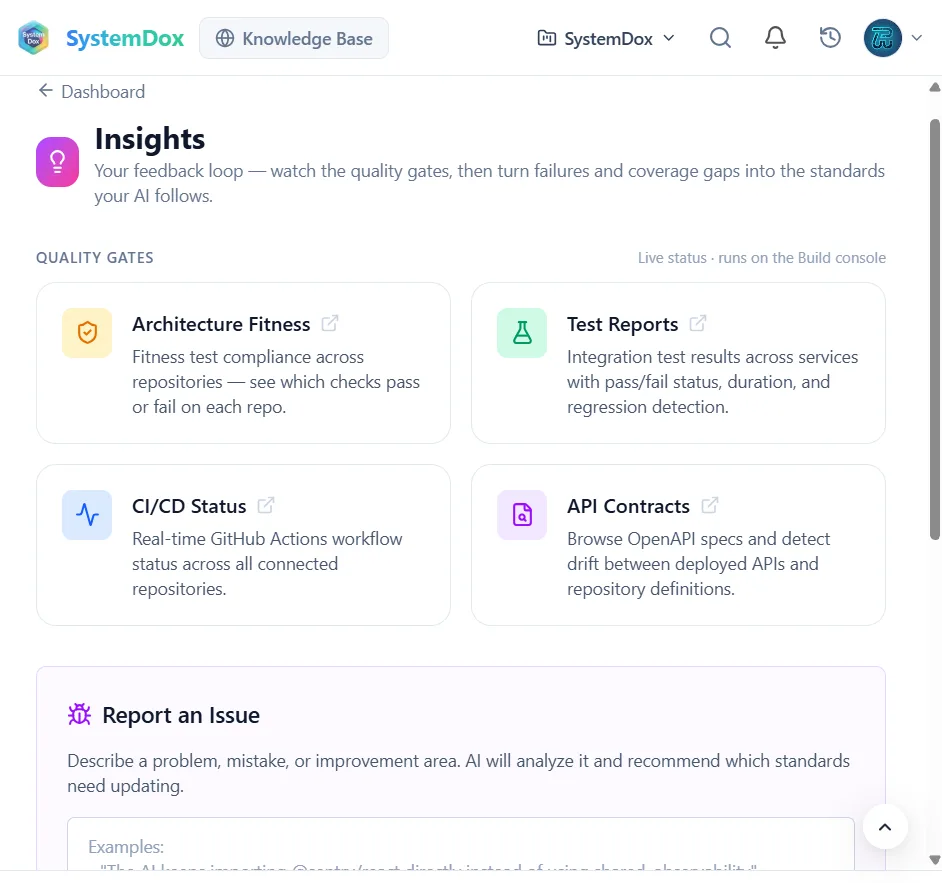
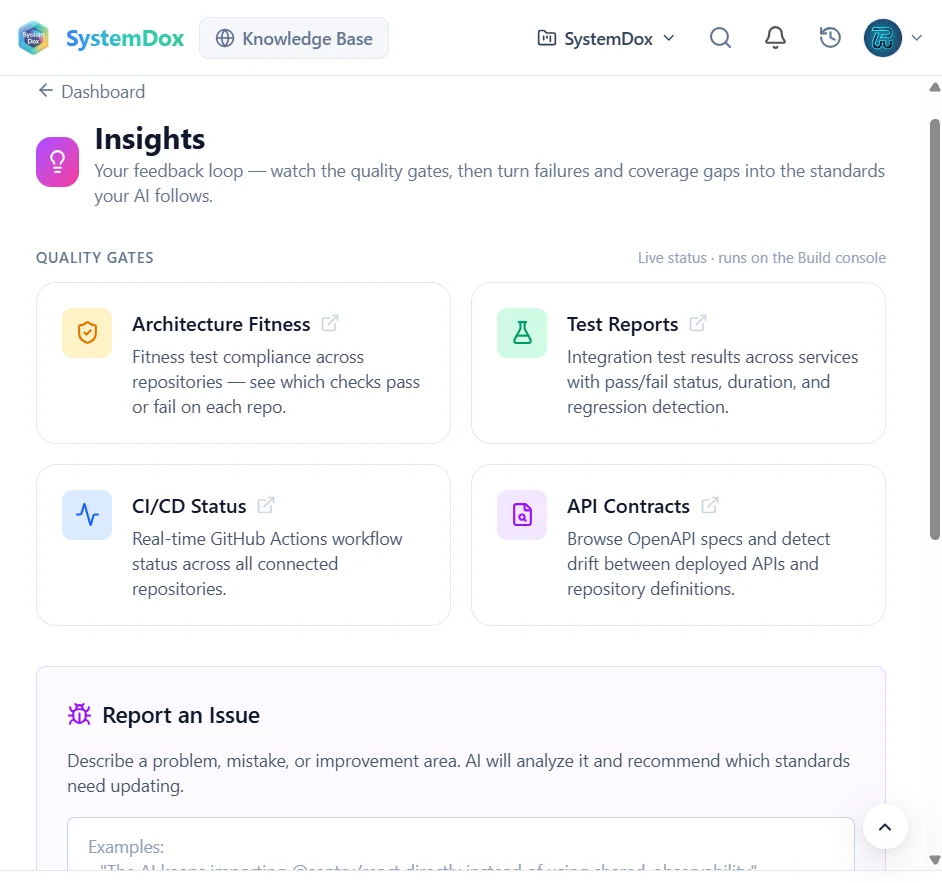
06 Insights
The loop closes
Watch the quality gates — architecture fitness, test reports, CI/CD status, API contracts — then report a mistake or a gap and the AI recommends which standards to update. The fix becomes a check every agent reads next time.
-
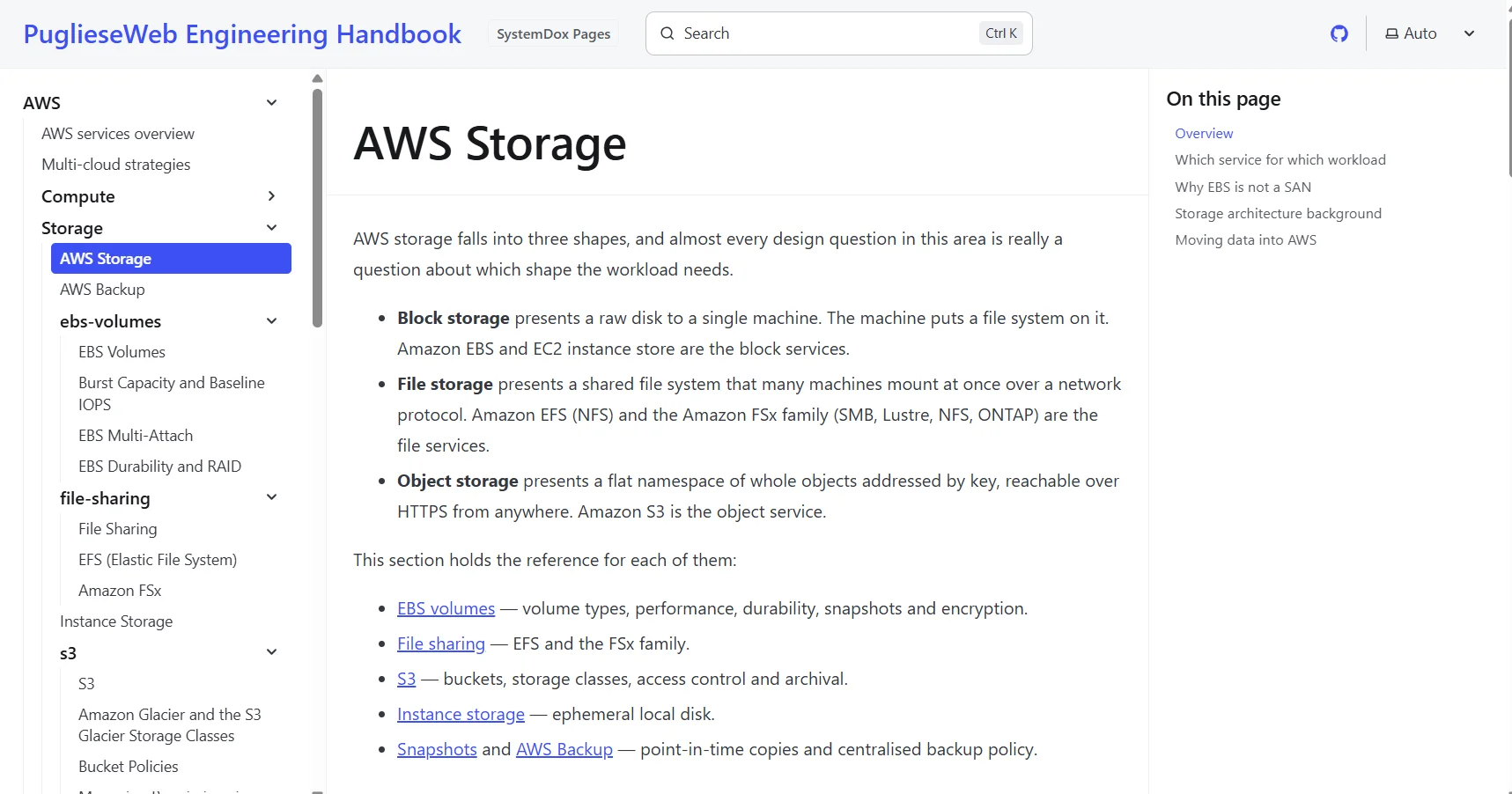
07 Knowledge
Published for people, not just agents
The Knowledge Base reads your organisation's documentation live from GitHub, governed by each member's access. SystemDox Pages publishes a repository's docs tree as a site: public on your domain, or internal behind sign-in.
Explore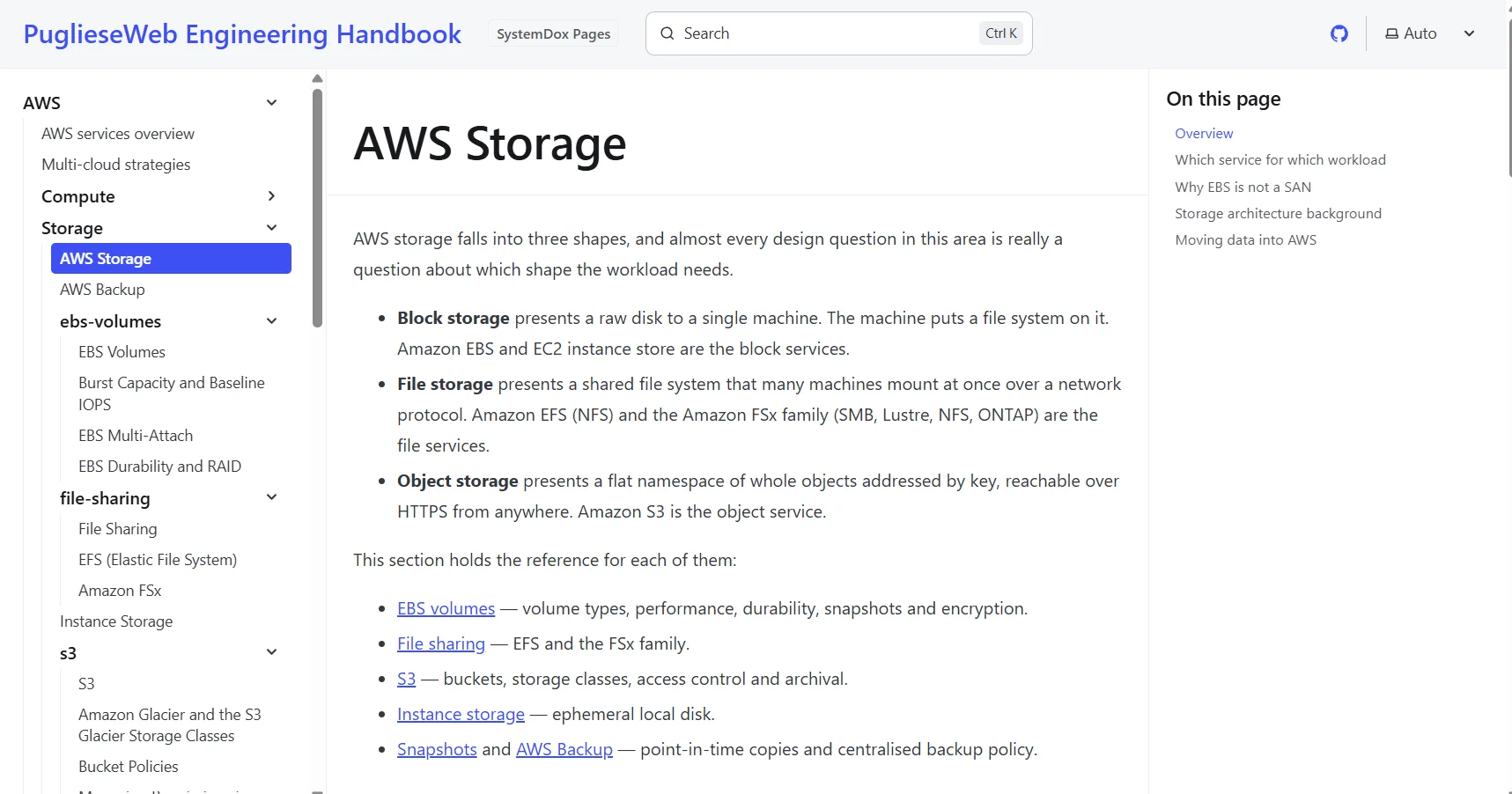
The modules
Five modules, one source of truth
Use them together or start with one. Each has its own page.
Every screenshot on this site is from our own workspace as it is today, not a mock-up. What you see is what runs.
How PuglieseWeb uses it
We are customer number one
PuglieseWeb builds Evrella, its own website and SystemDox itself on SystemDox. Every repository is connected, every decision is a record in the library, every feature starts on a Plan board, and Claude Code reads our standards over MCP before it writes a line.
- An internal knowledge base
- Our company documentation — 130+ architecture decision records, runbooks and standards — is published as an internal SystemDox Pages site, checked at the edge against a sign-in. Only our people can open it.
- A public knowledge base
- The PuglieseWeb Engineering Handbook, 450+ pages, is a public SystemDox Pages site at docs.puglieseweb.com, rebuilt on every merge. Open it: it is the same feature you would get.
- Standards served over MCP
- Our tech stack, checks, rules and Claude Code configuration are declared once in SystemDox and served to every assistant that works on our code.
- Plans on GitHub
- Features become epics and issues on our GitHub Project boards, scoped by the docs — and the agents pick them up from there.
Private preview
Early access
Not open to the public yet. Be first in.
We are opening SystemDox to a small first group of engineering teams. Tell us a little about yours and we will write to you personally when a place opens — no newsletter, no automated sequence.
- A personal reply from the team, not a drip campaign
- First access as places open, with our help setting up
- A say in what we build next
FAQ
Questions people ask us
Can I use SystemDox today?
Not yet publicly. SystemDox runs PuglieseWeb's own engineering every day and we are opening it to a first group of teams. Request early access on this page and we will write to you when a place opens.
What do I need to start?
A GitHub organisation or repository and an MCP-capable coding agent such as Claude Code, Codex or Cursor. Capture and the Docs library work before you connect a repository; the Knowledge Base and SystemDox Pages read from git.
Where is my data?
SystemDox runs on AWS in eu-west-2 (London) and is operated by PuglieseWeb LTD, a UK company. Your repositories stay the source of truth: publishing commits to GitHub, never to a copy.
Can I buy SystemDox Pages on its own?
Yes. SystemDox Pages publishes a repository's docs tree as a public or internal site and can be bought without the rest of SystemDox. docs.puglieseweb.com is a live public example.
What does early access include?
A workspace for your organisation, our help connecting your first repositories and agents, and a direct line to the team. Early-access teams shape the roadmap before public launch.
One company, four product families
SystemDox is one of the four product families puglieseweb LTD offers. Two are live today; two are on their way — and you can register your interest in those now.
- Live
Ema Answers
The assistant that answers for your business, everywhere your customers are — it reads your website, replies in your customer’s language and emails you every enquiry.
Visit the site - You are here
SystemDox
Documentation that keeps up with the code — scanned from your repositories, published as a portal, staleness flagged before anyone trusts a stale page.
What SystemDox does - Coming soon
Ema Comfort
Heating and hot-water systems managed from one app — for installers and the homes they look after.
Visit the site - Live
Custom AI solution (App, Automation, etc.)
An app, an automation or an AI tool built around how your business works — when nothing off the shelf fits.
Register your interest