Private preview In daily use at PuglieseWeb · not yet open to the public
SystemDox Capture
Start with whatever you have.
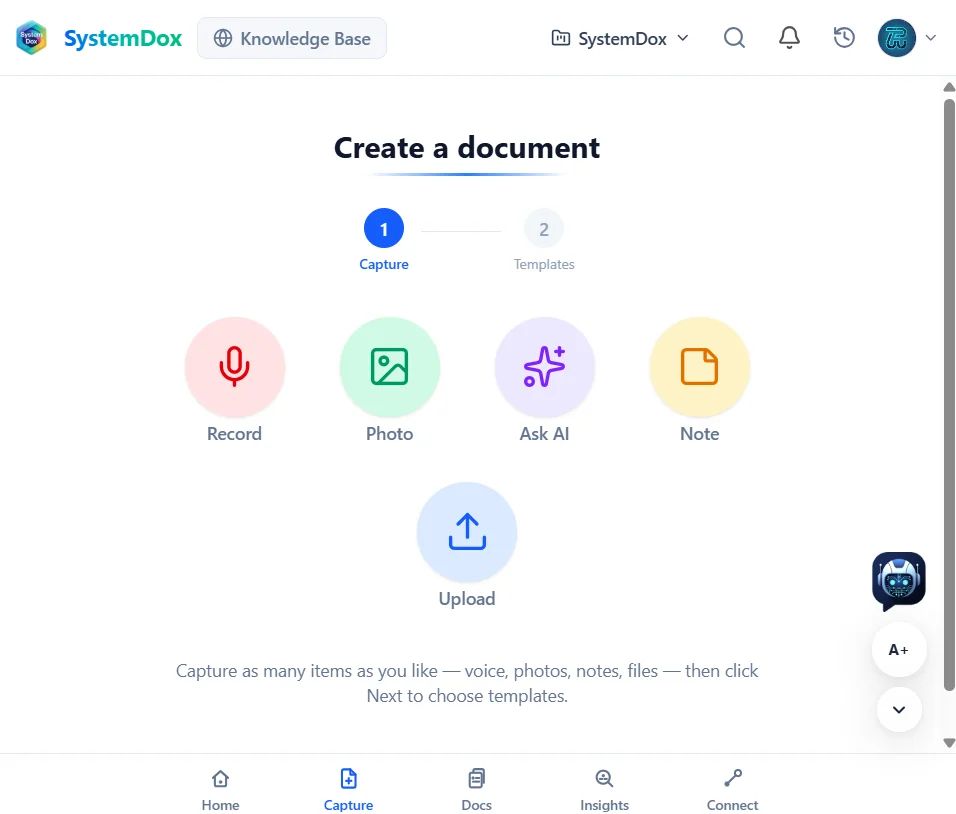
A voice note after a client call, a photo of a whiteboard, a PDF, a question for the AI or a plain note. Capture turns it into a structured document in the template your team uses — and opens it in the editor.
-
Five ways in
Record, Photo, Ask AI, Note and Upload. Capture as many items as you like in one session; the AI analyses all of them together.
-
Templates, not blank pages
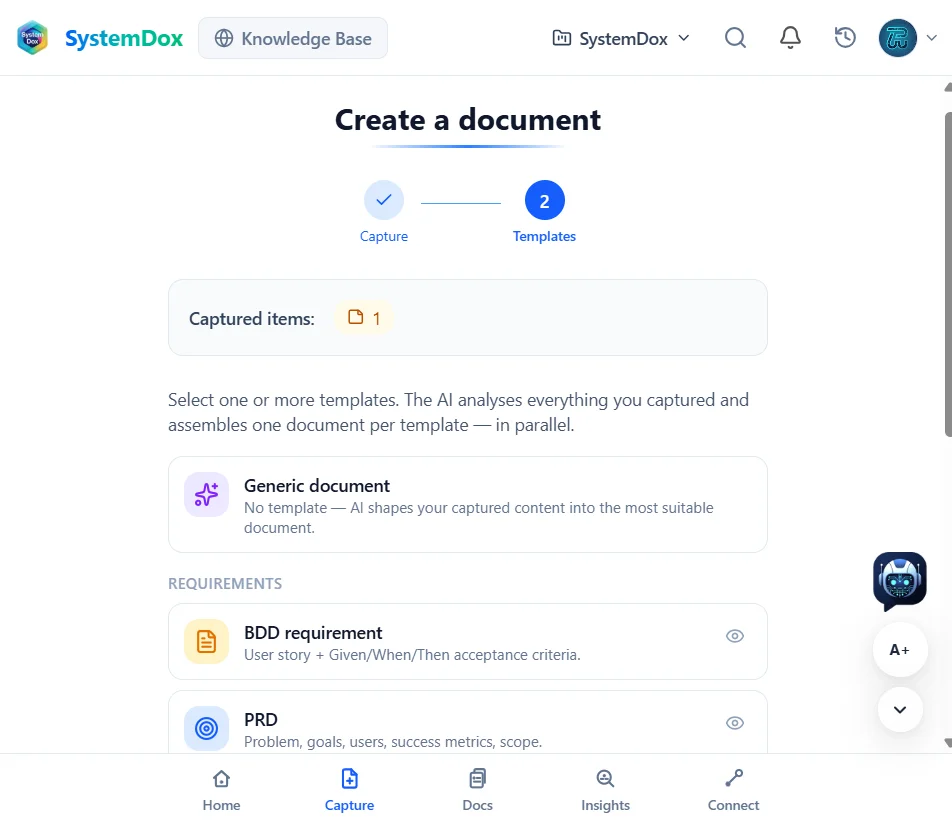
Pick one or more templates: a Generic document, a BDD requirement with Given/When/Then acceptance criteria, a PRD with problem, goals, users and success metrics, an ADR. Your own templates sit beside the platform ones.
-
One document per template, in parallel
Select three templates and get three documents, each shaped from the same captured material. Review, edit, publish.
-
Straight into the library
A new capture opens in the Docs editor. Nothing is lost in a notes app; everything is where your AI and your team read.
-
Drafts that survive
Drafts are kept on your device until you are ready, so a capture started on the move can be finished at your desk.
-
Gaps named for you
Once the capture is in, Insights tells you what is missing across the library. The next thing to capture is usually a gap it names.
At PuglieseWeb
Requirements for Evrella and for SystemDox itself start as captures: a voice note becomes a BDD requirement, a whiteboard photo becomes a design record. The templates are ours and follow the shared-specs convention every repository uses.
Every screenshot on this site is from our own workspace as it is today, not a mock-up. What you see is what runs.
Want this for your team?
SystemDox is in private preview. Request early access and we will write to you personally when a place opens.
Request early access